Faculty / Module / Cohort:
Three Study Smart 3 workshops delivered to:
- AI & Engineering students
- Education students
- Mixed cohort (including Nursing students)
AI Tools Used:
Students chose their own preferred AI tools throughout the session. The most common were ChatGPT and Microsoft Copilot, with a smaller number of students also trying Claude, Gemini, Grok, Kling AI, Padlet AI and Canva. Way ground was used to run the two interactive quizzes built for this session.
What was the challenge?
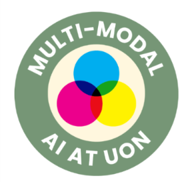 The brief was the same one behind all three Study Smart 3 sessions: don’t just demonstrate generative AI to students, find out how they’re using it already, and push them to explore beyond the one or two tools they default to. Going in, most students in every cohort were comfortable with text-based AI for coursework, but far fewer had ever chained AI tools together into a single workflow — story into image into video, say. The session was built to test whether that gap, and the way students approached it, differed by discipline, and to surface any practical or ethical issues that came up naturally along the way rather than pre-empting them with a lecture.
What did you do?
Each workshop followed the same structure:
- Introduced the Study Smart 3 project, explaining that anonymized findings would contribute to wider university research into student AI use.
- Discussed participants’ existing experience with generative AI, including which tools they used regularly, how AI fitted into their coursework, and what kinds of assignments they normally completed.
- Encouraged students to use tools they already knew while also trying at least one unfamiliar tool during the session.
- Asked students to upload their prompts, workflows and final outputs to a shared Padlet board.
- Facilitated discussion around students’ experiences using different AI tools across the workflow.
- Ran two Kahoot quizzes I built for the session: “AI Spot the Difference,” ten paired-image questions asking students to identify which image was AI-generated, and “AI in Assessment:
- Allowed, Depends, or Not?”, fifteen scenario-based questions on where AI use in coursework is acceptable.
- Used the live Kahoot leaderboard and answer breakdown to anchor a closing discussion on academic integrity, visual trust and AI-generated content.
Multimodal Use
The Prompetition intentionally required students to combine multiple AI modalities. Students first generated a written narrative, then transformed it into visual content and, where possible, into a short AI-generated trailer — each stage building on the last, which pushed students to think about consistency between story, imagery and video rather than treating each output as a one-off.
The two Kahoot quizzes added a different kind of multimodal thinking on top of that: the Spot the Difference quiz asked students to reason visually about AI output (comparing lighting, texture and composition across near-identical real and AI-generated images), while the Assessment quiz asked them to reason about AI use in purely textual, scenario-based terms. Running the generation-heavy Prompetition alongside these two judgement-based quizzes meant students were working with AI as both a creative collaborator and an object of scrutiny within the same session.
Rather than staying inside one AI ecosystem, most students naturally moved between platforms depending on which tool suited each stage — generating the story in one tool, the image in another, sometimes the video in a third.
What did this look like in practice?
Padlet submissions showed a consistent pattern of students hopping between AI tools rather than sticking to one platform for the whole task — using one chatbot for the story, a different tool for the image, and sometimes a third for video generation, adjusting the prompt each time based on what the previous tool had produced.
Kahoot Quiz 1 — AI Spot the Difference
Ten multiple-choice questions, each showing two visually similar images side by side and asking students to identify the AI-generated one. Pairs included food photography, textile close-ups and street scenes, deliberately chosen so the AI-generated image was close in composition, color and lighting to the real one rather than obviously synthetic.
Kahoot Quiz 2 — AI in Assessment: Allowed, Depends, or Not?
Fifteen scenario-based questions, each describing a specific way AI might be used in coursework, scored against four possible judgements: Not Allowed, Allowed, Allowed with Disclosure, or Depends on Discipline.
Example scenarios and intended answers:
- Using AI to translate your own ideas into academic English → Allowed with disclosure
- Asking AI to generate a full first draft and submitting it with minor edits → Not allowed
- Using AI to brainstorm possible angles for an essay before writing → Allowed
Supporting evidence included Padlet submissions, student prompts, generated posters and trailers, the two published Kahoot activities, live answer-distribution data from both quizzes, and notes from the closing discussion.
What was the impact?
AI Spot-the-Difference Results
Groups consistently performed worse than they had anticipated. Several students who initially rated their ability to distinguish AI-generated images from real ones as strong still made multiple errors, particularly in pairs with subtle lighting differences. This mismatch — between perceived and actual skill at detecting AI content under time pressure — turned out to be a valuable discussion point.
AI in Assessment Results
Straightforward scenarios (such as fully AI-written drafts or AI-assisted brainstorming) generated quick, largely unanimous responses. However, scenarios involving disclosure or discipline-specific nuance divide opinion. Most students had a general sense that AI shouldn’t be allowed to produce entire pieces of work but hadn’t previously considered disclosure as a practical middle ground rather than a strict yes/no rule.
Ethical or practical considerations
Academic integrity
The Assessment quiz results suggested that binary “AI: yes or no” framings undersell how institutional policy works in practice, and that disclosure-based guidance is worth teaching explicitly rather than assuming students will work it out.
Media literacy and trust in visual content
The Spot the Difference results were a useful reminder — reinforced further in the mixed cohort session — that AI-generated content is now hard to reliably distinguish from real material even for people confident in their own tech literacy, with implications for misinformation and trust in imagery well beyond the classroom.
Data privacy
Padlet submissions were collected anonymously and only contributed to aggregated findings for the Study Smart 3 project. Kahoot participation was similarly anonymous — nicknames only, no personal data collected — which mattered given how candidly some students spoke about tools they didn’t know or hadn’t used.
Reflections and Advice
What worked well?
- The multimodal Prompetition got students experimenting hands-on rather than just watching a demo, and the Padlet board captured genuinely authentic workflows that a questionnaire would have missed.
- Running the Kahoot quizzes as a competitive, timed game rather than a straight discussion noticeably raised participation and turned the live answer breakdown into the discussion material itself rather than needing a separate prompt afterwards.
- Facilitating as a fellow student seemed to encourage more open, candid discussion — people were comfortable admitting which tools they’d never heard of.
What would you refine?
- A short intro to effective, iterative prompting before the Prompetition starts would likely close the biggest gap observed — most students had tool access, far fewer had a workflow.
- A few of the image pairs in the Spot the Difference quiz were too easy or too hard; worth recalibrating so every question produces a genuine split rather than a near-unanimous answer.
- The Assessment quiz would benefit from a short debrief note per question explaining the reasoning behind Allowed/Not Allowed/Depends, so students have something to revisit later rather than relying purely on the live discussion.
Advice for colleagues
- Don’t assume heavy AI use translates into strong AI literacy — plenty of frequent users still benefit from guidance on prompting and multimodal workflows.
- Expect students to move naturally between AI platforms rather than sticking to one; design activities that support that instead of forcing a single tool.
- A game-based check (like the Kahoot quizzes here) is a more honest test of what students actually know than just asking them directly — confidence and competence often don’t match.